Narrow Your Mp3juice Search to the Song You Want in MP3 or MP4
Two recordings can share a title, but only one has the piano part I want to hear. That’s why the first things I check on Mp3Juice are the performer and the runtime. Search by artist and title to compare versions, or paste a supported link if you know exactly which recording you want. Once you’ve found it and checked that you have permission to save it, choose MP3 for audio or MP4 video if you want the picture too.
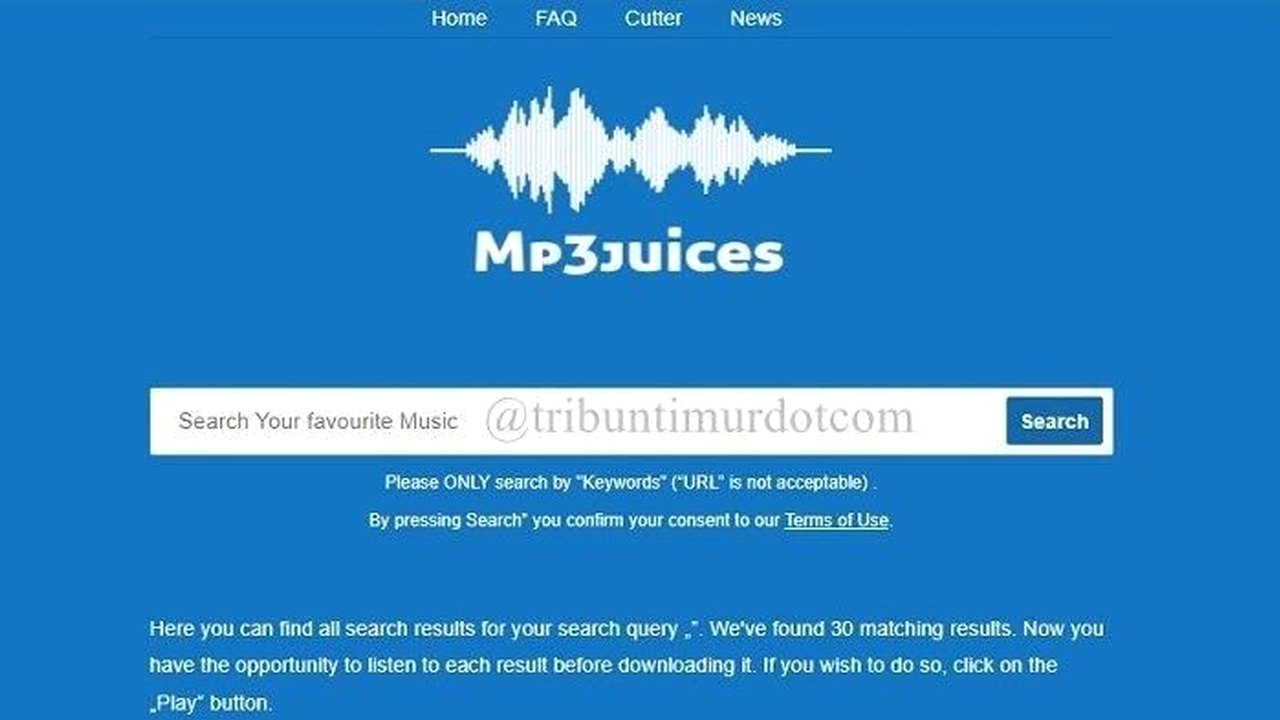
Mp3Juice describes its browser service as free to use without registration. You don’t need to install an app. If you know the recording’s source page, keep it open: it may identify the performer, give the license terms, or offer a download of its own.
I use the browser to find a recording and a desktop tool when I need the same settings across several files. I can’t verify the site’s current button labels or which formats it offers for a given result. The checks below rely instead on what you can inspect: the web address, the recording details, the format on offer, and the file you end up with.
How do I find a specific recording on mp3juice?
A search by artist and song title gives you a set of recordings to compare. If you’ve already picked a performance, paste its source URL into the same field instead. Provided the link is supported, you can look for that version without sorting through others with the same title.
Start with a title when the version is still an open question
- Open the site and check the browser’s address bar. The address covered here is
mp3juice.cx. If you searched for “mp3 juice” or “mp3juices,” check the address itself. A familiar-looking page title isn’t enough.
- In the site’s search field, enter the performer’s name followed by the track title, then submit the search. Use the recording artist, not just the composer. For Clair de lune, the composer’s name identifies the piece but does little to narrow down the pianist, arrangement, or performance.
- Compare the titles before you select a download. If several versions turn up, add one detail that sets yours apart:
instrumental,live, or the venue name, for example. Use all three only if all three describe the recording.
Switch to a link when the source is known
- Open the recording’s source page in another tab. On a computer, press Ctrl+L, then Ctrl+C to copy the address. On a Mac, use Command+L, then Command+C. On a phone, choose Copy Link from the browser’s Share menu. Back in the Mp3Juice search field, replace your title query with the address and submit it.
Compare the result with the source tab. I keep both open because it’s easy to accept a near-match when all I have to go on is a half-remembered title. If the creator already offers the exact recording as a file, use that download rather than putting it through another conversion.
How do I check a mp3juice match and its download permissions?
The performer, version, duration, and preview, if available, help you identify a recording. Whether you may save it is a separate question. For that, look at the recording’s license and the source platform’s terms.
Listen for the detail that distinguishes the version
A difference in runtime is a clue. A live recording may open with applause, a radio edit may leave out a verse, and a video may run on after the last note for spoken credits. If the opening sounds right but the duration is off, compare the ending with the source. An instrumental backing track can share almost its entire introduction with the vocal version.
Sometimes both the artist and the title match and you still can’t tell which version you’ve found. Without a useful preview or source details, I wouldn’t pick the longer file on the assumption that it’s the full version. Go back to the specific source link.
Check who controls the composition and the recording
A musical composition is the underlying work; a sound recording captures a particular performance of it. A pianist who recorded a public-domain piece last week can still have a protected recording. If a page says “public domain,” check that the statement covers the audio and not just the sheet music.
Look for download terms on the creator’s release page, on the source platform, or in a license notice from the copyright holders. Creative Commons licenses differ. Check which one applies to the recording, whether the person offering it holds the relevant rights, and whether the license covers your intended use. Being able to play a track on a page doesn’t, by itself, authorize you to extract it.
If I expect to use a recording again, I keep the source address, creator credit, and license wording alongside the file. A filename like track.mp3 won’t tell me later what I had permission to do.
Which mp3juice format and bitrate should I choose?
Choose MP3 if you only need sound. To keep the picture, choose MP4 video when it’s offered. MP4 is a container that can hold audio and video, but the .mp4 extension doesn’t guarantee there’s a video track. If you need to see the finger positions in a guitar lesson, look for an option that explicitly says “video.”
Compare the size of the same four-minute track
Audio bitrate tells you roughly how much data each second of sound takes up, in kilobits per second (kbps). For constant-bitrate audio, multiply the bitrate by the duration in seconds and divide by eight to get kilobytes. The estimates below use decimal MB and leave out tags and artwork.
| MP3 bitrate | Four minutes of audio | When I’d consider it |
|---|---|---|
| 128 kbps | 3.84 MB | Spoken notes, when storage matters more than musical detail |
| 192 kbps | 5.76 MB | A portable listening copy of moderate size |
| 256 kbps | 7.68 MB | Music from a good source for a player that requires MP3 |
| 320 kbps | 9.60 MB | A larger MP3 export from a high-quality original |
For 100 four-minute tracks, choosing 320 instead of 128 kbps uses about 576 MB extra. The difference in size tells you nothing on its own about a difference in sound. The source sets the limit: encode a muffled track at 320 kbps and you’ll have a larger file that still sounds muffled.
Use the table to estimate storage, not as a menu of settings Mp3Juice promises to offer. If a result says MP3 without giving a bitrate, the bitrate is unknown. The calculation doesn’t apply to an MP4 video, either, because its video stream adds data.
Keep AAC when converting would solve nothing
At the same low bitrate, AAC generally sounds better than MP3, though it depends on the encoder and the material. If the creator supplies an authorized AAC file and your player accepts it, keep the original. Converting it to MP3 adds another lossy encode. That’s a reasonable trade for an older car stereo that only reads MP3, but it isn’t a quality upgrade.
When choosing an MP3 downloader or desktop converter, I look for settings I can repeat: the output codec, bitrate, destination folder, and filename pattern. For several authorized originals, a desktop converter such as fre:ac is a better fit than a separate browser lookup for every track. Set the export directory and MP3 encoder before adding the whole folder. Convert one file and test it on the device you plan to use.
One track rarely warrants that setup. Choose the offered format that suits your player, and keep the original if you have it.
How do I save the file and find it again?
Select the download for the recording and format you checked. When the browser reports that the transfer is complete, open the file’s folder from the download manager. The file can be on your device even if it hasn’t appeared in your music app.
Check the download prompt before accepting it
- Select the MP3 or MP4 video option attached to the matched recording. If a save dialog appears, read the full filename and check the destination before confirming. An MP3 download shouldn’t give you an
.exe,.msi,.dmg,.apk, or a file ending in.mp3.exe. If there’s no prompt, inspect the completed item before you open it.
Look for the format control beside the recording rather than a large download graphic elsewhere on the page. If a new tab asks for card details, notification permission, or a browser extension, close it. That isn’t your audio file. If you can’t tell the requested transfer from a redirect, stop and use a creator-provided download instead.
Use the browser to locate the local copy
- In desktop Chrome or Edge on Windows, press Ctrl+J to open Downloads. Find the completed file and select Show in folder or the folder icon next to its name. On a Mac, open the browser’s Downloads list and choose Show in Finder where available. This opens the actual save location, even if you didn’t use your usual downloads folder.
On iPhone, open Files > Browse. Depending on Safari’s configured save location, look in iCloud Drive > Downloads or On My iPhone > Downloads. On Android, select Downloads from Chrome’s menu or look under Downloads in your file manager. If you saved the file somewhere else, search for part of its name.
- Open the local file and seek close to the end. To check offline playback, disconnect from the network and play it again from Files or your desktop folder rather than the original browser tab. For MP4 video, make sure you can see the picture. In desktop VLC media player on Windows, Tools > Codec Information shows which streams the file contains.
Give the filename and library entry separate checks
The filename is what you see in a folder. Music apps read fields such as title, artist, and album from the ID3 tags inside an MP3. If the filename looks right but the player shows “Unknown Artist,” edit the tags. You don’t need another download.
In Mp3tag on Windows, select the file, fill in Title, Artist, and Album, then press Ctrl+S. To name several tracks from their tags, use Convert > Tag - Filename with a template such as %artist% - %title%. Check the preview first. If two performances share a title, include the version in the title field before applying the template so the filenames don’t collide.
What should I do if mp3juice stops at search, download, or playback?
Start with the first thing that went wrong. If there’s no match, change the lookup. If the transfer stopped, check its status in the browser. A completed file that makes no sound needs a playback check. Changing the bitrate won’t help with a rejected source address.
No match, or a source link is rejected
Strip the query back to the artist and title. Leave out quoted lyrics, album names, and extra descriptors, then add back the one term that identifies your version. If you searched by link, reopen the address you copied. It should lead to an individual recording, not a playlist, search page, or sign-in screen.
A YouTube page that plays in your browser doesn’t guarantee that its URL is supported or that you may download the recording. Use the creator’s authorized download if there is one. Don’t try to work around an access restriction.
Transfer interrupted, or the completed file will not play
Check the browser’s Downloads list before starting over. If the transfer is paused and there’s a resume control, use it. If storage is full, free up space in the folder’s actual destination. A partial file isn’t a finished MP3; in Chromium-based browsers, it may end in .crdownload. Renaming it won’t restore the missing bytes.
If the file is complete, open it in VLC and seek to the last few seconds. If it plays there but not in your usual app, check that app’s supported formats and library import settings. If both players stop at the same point, compare the file’s duration with the source before retrying the authorized download.
The track is gone from the list, or only plays inside one app
The browser’s download history records transfers. It doesn’t store the files themselves. Clearing the history can remove an entry without touching the file. The reverse can happen too: delete a file in Finder or a file manager, and an old browser entry may still point to it. Check the configured save folder before spending time and storage on a second transfer.
If you only want offline playback inside one service, a subscription can spare you the file management. Access typically depends on an active plan and periodic validation, though. An authorized local MP3 can be copied to a compatible player and doesn’t depend on a streaming subscription once you cancel. Whether the file was free or purchased, owning a copy doesn’t give you unlimited reuse rights.
mp3juice FAQ: What about cost, safety, and reuse?
Does mp3juice require an account or payment card?
Mp3Juice describes its service as free, with no signup. A card prompt isn’t part of that process. If a page asks for payment details to release a supposed download, stop and check the address instead.
Is an app or browser extension needed to save an MP3?
No. The steps here run in a browser. Cancel any request to install an app or extension. VLC and tag editors are optional tools for working with a file after you’ve saved it.
Can I paste a YouTube link instead of searching by title?
You can submit a media link, but not every YouTube URL is guaranteed to work. Check the creator’s permissions and the platform’s download terms. Use the creator’s own download link when one is available.
Can I use downloaded music in a video if I credit the artist?
Credit alone doesn’t give you permission to pair music with video, and permission to listen offline is narrower. Check that the rights to both the composition and the recording cover your planned video, including commercial use if that applies. Follow the license’s attribution terms.
Is a recording free to download if the composition is in the public domain?
Not necessarily. A modern orchestra’s recording of a public-domain score can still be protected. Look for a license or public-domain statement that identifies the performance itself, not just the composer or the work.
Why did my MP3 disappear from the browser's downloads list?
Clearing a history entry doesn’t necessarily delete the local file. Check the browser’s configured download folder, then search your device for the filename or .mp3. If you find the file and it plays through offline, you don’t need to download it again.